A Doorbuster Chromebook Can Stop Getting Updates Long Before the Student Stops Using It
Google sets a Chromebook’s Auto Update Expiration date at the platform’s release, not the purchase date. How to look it up, and what breaks after.

Part of the guide: Tech and Audio Buying Mistakes: What Fails and How to Check Before You Buy
Every Chromebook ships with an invisible countdown. Google assigns each hardware platform an Auto Update Expiration (AUE) date, and after that date the device stops receiving new versions of ChromeOS, even though the hardware still turns on and works.
The countdown does not start at checkout. It starts at the platform’s release, so a Chromebook that has been sitting in a warehouse or on a doorbuster table for a year or two already has less runway left than the box suggests.
Fear Index · Think twice
A countdown that started before the box was sealed
The Auto Update Expiration date is set by the hardware platform’s release, so a discounted or clearance Chromebook can already have less runway left than a newer model at the same price.
What the Auto Update Expiration date actually is
Google’s Auto Update policy page describes the AUE date as the point through which a Chromebook receives updates, and the current commitment is 10 years of updates per hardware platform. Google says it will publish how long a platform will receive automatic updates on that page after its release, “giving buyers time to make purchase decisions,” and it lists the exact expiration month and year for every model it tracks.
The commitment is not identical for every device on sale today. Google’s 2023 policy set the 10-year term for platforms released in 2021 or later; users and IT admins with Chromebooks built on older platforms can opt in to extend updates to 10 years from the platform’s release, but “some features and services might not be supported” once a device is running on extended updates.
A “platform” is the underlying hardware design, and one platform can ship inside several different laptop model names over a few years, all sharing the same expiration date regardless of when each individual model went on sale.
Why the clock starts before the receipt does
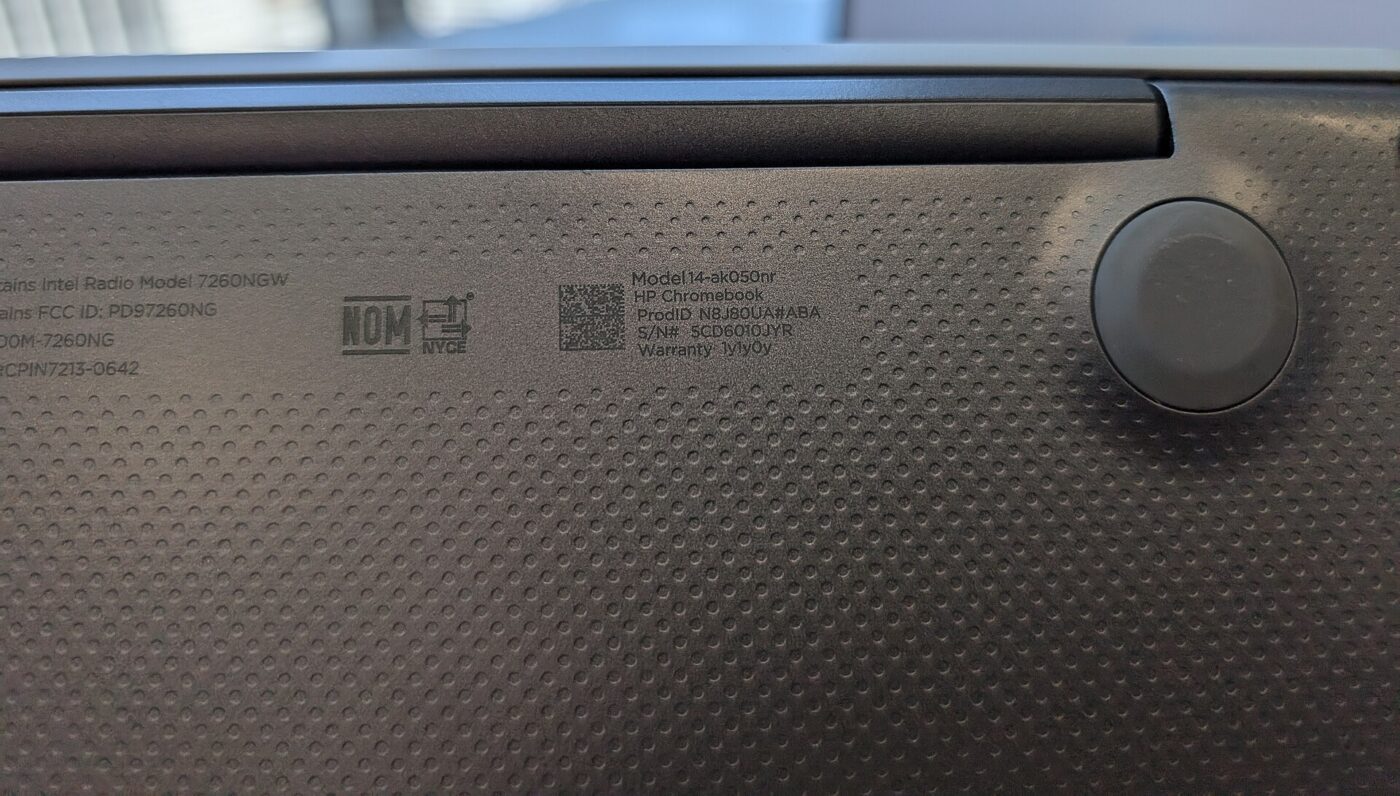
Because the AUE date is fixed to the platform’s release rather than the purchase date, two Chromebooks bought on the same day from the same store can expire years apart if they were built on different platforms. A model that has been in continuous production for several years is closer to its expiration date on the day it is bought than a model launched the same season.
Google’s own device tables make this concrete: on the Auto Update policy page, different Acer Chromebook 311 models list expiration dates ranging from June 2029 to June 2036, seven years apart, despite the similar name and shelf position.
Advocacy pressure pushed this into the open. U.S. PIRG Education Fund’s 2023 “Chromebook Churn” report found that the laptops schools were buying were “not designed to last,” and estimated that doubling their working lifespan could save taxpayers $1.8 billion across the country’s 48.1 million K-12 public school students. Google announced its 10-year policy that September.
Two Chromebooks on the same shelf can have expiration dates years apart. The model name alone does not tell you which.
Looking up a model before checkout
Google publishes the expiration date for every Chromebook platform on its Auto Update policy page, searchable by manufacturer and model before a purchase is made, not after. The listing typically names the exact model, not just the product line, so it is worth matching the listing text closely rather than the marketing name on the box.
Google publishes the date on its policy page, not on the box, so the lookup has to happen separately. For a gift or a school purchase, checking the date before checkout takes less time than a return if the date turns out to be a disappointment later.
- Find the exact model name and SKU on the listing, not just the product line.
- Search that model on Google’s Auto Update policy page.
- Note the AUE month and year before adding it to the cart.
- Prefer a model with several years of runway left, not just a low price.
- For a gift, buy early enough to confirm the date and still return it if needed.
What breaks once the date passes

Google’s policy page says that once a device has received its final automatic update, existing and future policies may not work as intended, and technical support will not be provided. New ChromeOS features, security patches and browser updates for that device stop arriving.
The device does not stop working the day the date passes, and it is not defenseless afterward. Built-in protections such as Verified Boot keep performing self-checks at startup, and ChromeOS retains a secure mode even without further updates – but that is a floor, not a substitute for current security patches against newly discovered vulnerabilities.
For a shared or school device, the practical risk compounds: apps and extensions that assume a current browser version may stop working correctly, and a device used by a child on the open internet is running an operating system that will not get fixes for anything discovered after its expiration date.
An expired Chromebook keeps turning on. What stops is the part that matters for a device that browses the internet: new security fixes.
RAM, storage and the doorbuster table
Spec alone will not extend a platform’s AUE date, but it does affect how usable the device stays for its full support window. Google’s Chromebook Plus tier promises 8GB or more of RAM and 128GB or more of storage. That is a hardware floor, not a longer update commitment: a Chromebook Plus model still follows its own platform’s AUE date.
Deep holiday discounts are where the AUE date can surprise a buyer. A steeply marked-down model may be an older platform being cleared out, which can mean a shorter remaining runway than a similarly priced model built on a newer platform, even when the sale price looks like the better deal.
The fix is the same lookup from checkout, applied specifically to doorbuster and clearance listings: match the exact model, check the date, and weigh the discount against how many years of updates are actually left rather than how many the box implies.
| Signal | What it means | Action |
|---|---|---|
| Same model name, different SKU | May sit on a different hardware platform | Match the exact SKU before checking the date |
| Steep discount on an older design | Can be a platform with less runway left | Check the AUE date, not just the price |
| Chromebook Plus label | 8GB+ RAM, 128GB+ storage minimum | More memory and storage, same AUE rules |
| No AUE date listed anywhere | The retailer has not published it | Look it up on Google’s policy page first |
The shortlist
Paid links: we earn a commission if you buy through the buttons below, at no extra cost to you. As an Amazon Associate I earn from qualifying purchases.
Compared on update runway and specs
| Product type | Best for | Risk estimate | Where to buy |
|---|---|---|---|
| Chromebook Plus Laptop (8GB RAM) | Chromebook Plus spec floor | 22/100 | See listings on Amazon |
| Budget Chromebook (8GB RAM) | A lower price, date checked first | 38/100 | See listings on Amazon |
| Protective Chromebook Sleeve | Carrying protection | 8/100 | See listings on Amazon |
Risk estimate is our editorial Fear Index for the product type (lower is safer), not a customer rating. How it is scored. The buttons open Amazon search results rather than one listing, so check the model on the product page.
Chromebook Plus Laptop (8GB RAM)
The Chromebook Plus label guarantees a memory and storage floor, not a different expiration policy; check the model’s AUE date either way.
- 8GB+ RAM and 128GB+ storage minimum
- Spec floor set by Google
- AUE date listed on Google’s policy page
- Costs more than base models
- Spec floor, not a longer AUE date
Budget Chromebook (8GB RAM)
Look up the exact model’s AUE date before checkout; the same price point can hide very different amounts of runway.
- Lower list price than Chromebook Plus models
- 8GB of RAM, the same as the Plus floor
- AUE date listed on Google’s policy page
- AUE date varies widely by exact model
- Discounted listings can be older platforms