You Cannot Choose a Keyboard Switch From a Spec Sheet
Actuation force and travel distance describe a switch and predict almost nothing about whether you will like it. Buy hot-swap and a tester instead.

Part of the guide: Tech and Audio Buying Mistakes: What Fails and How to Check Before You Buy
Mechanical keyboard listings quote actuation force in grams, travel in millimeters and actuation point to a tenth of a millimeter. It reads like precision engineering, and the numbers are accurate.
They also fail to predict preference almost entirely, because what people respond to is the shape of the force curve, the sound, and the wobble of the stem — none of which appears in the specification.
Fear Index · Think twice
A preference sold as a specification
Nothing here fails. You simply cannot know whether you like a switch until your fingers have been on it for a week.
Three families, and what the numbers miss
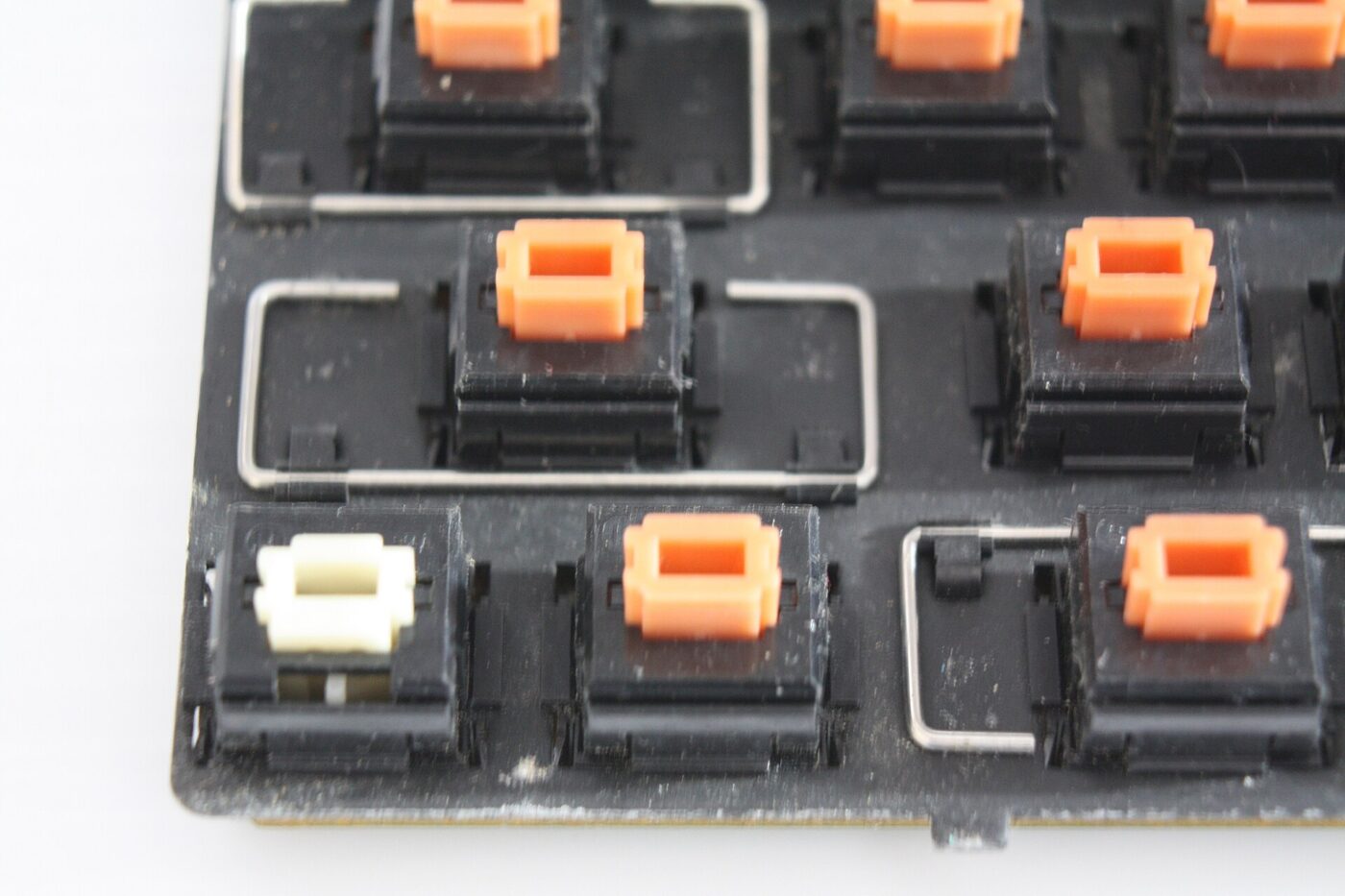
Switch color naming is a convention rather than a standard, and different manufacturers use the same colors differently. What is consistent is the family.
| Family | Feel | Noise | Typically suits |
|---|---|---|---|
| Linear | Smooth all the way down | Quiet, a bottom-out thud | Gaming, shared offices |
| Tactile | A bump partway down | Moderate | Typing, most people |
| Clicky | A bump plus a sharp click | Loud, carries through a wall | Typing alone |
If anyone else can hear your keyboard, clicky switches are a decision you are making on their behalf. Almost every regret in this category is about noise.
Hot-swap is the actual answer

A hot-swap keyboard has sockets instead of soldered switches. Pull a switch out with a puller, push a different one in — no soldering, about thirty seconds per key. The one thing to check first is pin type: standard MX-style 3- or 5-pin switches fit almost any hot-swap socket, but low-profile and optical or magnetic switches use different layouts and will not.
That converts an unanswerable question into a cheap experiment. Buy the board, try a set, change your mind, try another. A full set of switches costs a fraction of a keyboard.
- Buy a switch tester first. A small board with a dozen switches on it, for the price of a takeout meal.
- Test for a week, not a minute. A switch that feels lovely in a shop can be tiring over a working day.
- Consider the keycaps too. Profile and material change the sound and feel as much as the switch does.
Where the money actually goes
Above the entry level, price buys case construction and internal damping rather than better switches. A heavier case with foam inside sounds deeper and less hollow, and that acoustic difference is most of what separates a $60 board from a $180 one.
Wireless adds cost and a battery that eventually ages. For a desk that always has a cable available, it buys tidiness rather than function.
Matching switches to the socket
Hot-swap sockets are built around the standard MX footprint, but “MX-style” now covers several incompatible pin arrangements, and getting this wrong before ordering a switch set is the one hot-swap mistake that costs real money to undo — switches sent back rarely earn a refund once opened.
Magnetic (Hall-effect) switches are the newest complication. They are popular for gaming because software can read how far a key is pressed, not just on or off, but they need a board designed around that sensing from the start — a standard hot-swap socket has no way to read a magnetic signal even if the switch physically clicks in.
- Standard 3-pin. Fits every common hot-swap socket without modification — the safe default for a first set.
- Standard 5-pin. The two extra plastic locating pins need clipping off before they fit some hot-swap sockets; check the board’s manual first.
- Low-profile, optical or magnetic (Hall-effect) switches. These use a different footprint entirely and will not fit a standard MX hot-swap socket at all.
The shortlist
Paid links: we earn a commission if you buy through the buttons below, at no extra cost to you. As an Amazon Associate I earn from qualifying purchases.
Compared on how you find out what you like
| Product type | Best for | Risk estimate | Where to buy |
|---|---|---|---|
| Mechanical Switch Tester | Try before committing | 12/100 | See listings on Amazon |
| Hot-Swap Mechanical Keyboard (TKL) | Keyboard you can change your mind about | 26/100 | See listings on Amazon |
| Tactile Switch Set (100 pcs) | If you know what you want | 20/100 | See listings on Amazon |
Risk estimate is our editorial Fear Index for the product type (lower is safer), not a customer rating. How it is scored. The buttons open Amazon search results rather than one listing, so check the model on the product page.
Mechanical Switch Tester
The cheapest item in this category and the one that prevents the expensive mistake.
- Answers the only question that matters
- Costs less than returning a keyboard
- Keeps working as a reference later
- A tester click is not a full keyboard
- Does not capture case acoustics
Hot-Swap Mechanical Keyboard (TKL)
Buy the board for the case and the layout, and treat the switches as a decision you can revisit.
- Switches change in seconds, no soldering
- Tenkeyless leaves room for the mouse
- Wide aftermarket for keycaps
- Standard MX-style switches only, check pin count
- Sockets wear after many swaps
More: Tech & Audio analyses and how the Fear Index is scored.
Questions people actually ask
What mechanical switch is best for typing?
Most people settle on tactile — a bump partway down that confirms the keypress without a loud click. But preference varies enough that a tester is worth more than any recommendation.
What does hot-swappable mean on a keyboard?
The switches sit in sockets rather than being soldered, so they can be pulled out and replaced by hand in seconds. It makes the switch choice reversible.
Are clicky switches too loud for an office?
Generally yes. They carry through walls and over video calls. Linear or silent tactile switches are the considerate choice in a shared space.
Does a more expensive keyboard use better switches?
Usually not. Above entry level the money goes into case weight, internal foam and build quality, which change the sound more than the switch does.
Will any switch fit a hot-swap keyboard?
Only standard MX-style 3- or 5-pin switches, and low-profile, optical and magnetic switches use different footprints that will not fit at all. Check your board’s specification before buying a switch set.